
Putting Your Best Face Forward on LinkedIn – Your Professional Photo
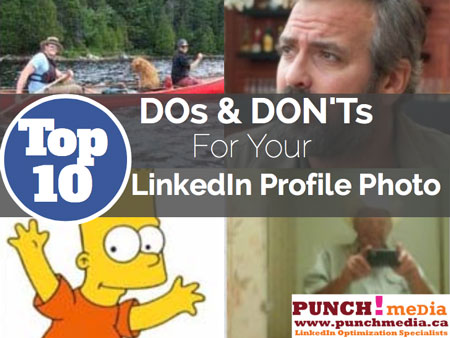
A picture is worth a thousand words, right?
Did you know it takes less than 9 seconds to make a first impression?
Since LinkedIn is your online resume and your business card, and is one of the highest ranked sites when someone Googles your name, your professional photo matters a LOT.
And, LinkedIn profiles with a photo are 11x more likely to be viewed!
Investing in a professional photographer is ideal. They will know how the proper lighting and angles that will flatter your face the most.
This image will be seen, not only on your LinkedIn profile, but probably on Facebook and Twitter as well (especially if you like it!).
Here are some topline “Dos” and “Don’ts” for your LinkedIn photo:
DO
- Have a warm, friendly smile.
- Wear professional clothing.
- Keep it simple. Choose a white background or a background that doesn’t distract from the “hero”, which is YOU!
- The ideal size should be square. Anywhere from 200 x 200 to 500 x 500, 4MB maximum
- Your image should be in colour – not black & white.
Now it’s time for a little “fun” with the DON’Ts. These are “faux pas” for what NOT to do with your LinkedIn photo:
DON’T
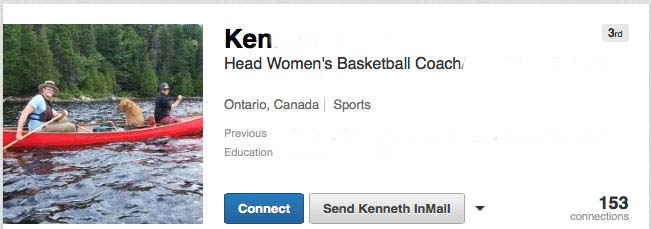
Don’t have other people or pets in your photo. Which person is Ken? Or, is he the dog?
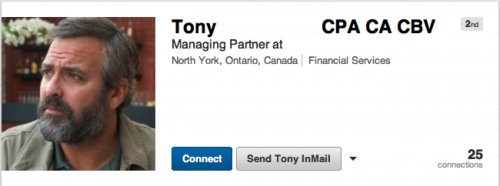
Don’t pretend you’re a celebrity.
People won’t trust you as a business person when you aren’t portraying yourself properly.
(Unless you this really IS your picture, and you look EXACTLY like George Clooney.)
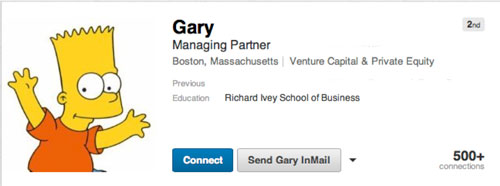
Don’t use a business avatar or any other cartoon. Remember, this is the BUSINESS network, D’OH!
Don’t use a logo or have a business profile in place of your personal profile. What is this supposed to be, anyway?
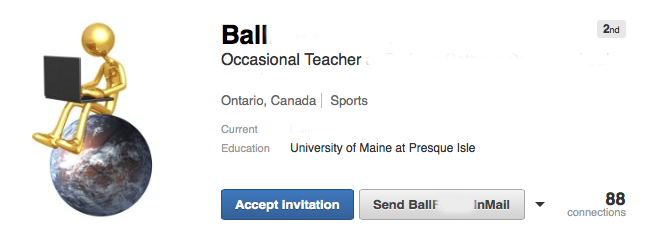
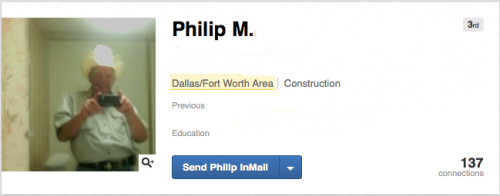
While 2014 may be the year of the “selfie”, don’t use a blurred bathroom image – ever! Giddy’up!
Since 80% of people are Googling who you are before they even pick up the phone to call, you want to portray that you are someone they can trust and want to do business with.
You want to appear friendly, polished and approachable.
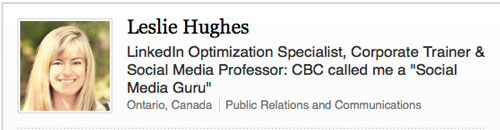
There are plenty of other ways to add to visuals to your profile. You can add a video or Slideshare presentation.
And now that LinkedIn has included the ability to include a Cover Photo for Premium Accounts, you could add a little “personality” with an image of your brand, or what you do behind your professional picture.
Remember, LinkedIn is the PROFESSIONAL network. You want to ensure you put your best BUSINESS face forward at all times.
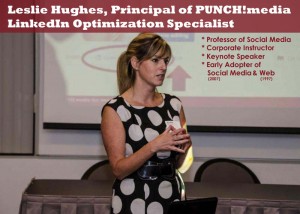 About Leslie Hughes & PUNCH!media
Leslie is a LinkedIn Optimization Specialist, Corporate Social Media Trainer and Principal of PUNCH!media
Founded in 2009, with clients such as The Children’s Wish Foundation of Canada, Guardian Life Insurance Company of America, and The University of Ontario Institute of Technology’s Management Development Centre, PUNCH!media works with organizations to help them feel confident and develop a strong presence in Social Media.
From defining clear strategies, to content development and deployment, we help you save time and build business. Whether you’re using LinkedIn to connect with business associates or Facebook to connect with consumers, we help you connect with the right audience at the right time using the right channels.
Is your LinkedIn profile optimized to position you as an expert and convert business?
You’d better get started!
www.punchmedia.ca
leslie @ punchmedia.ca

[…] 1) Your professional photo is the first impression and makes the biggest impact. Click here to find out how to put your best face forward on LinkedIn. […]